
Your 30-Day Progress Dashboard
Track your journey to selection
⚡ Features
Jump straight into any core tool
Overall Progress
Initial Test Preparation
Daily practice for your Initial Test
Initial Test — Question Bank
Pick a category — Verbal, Non-Verbal, Intelligence or Academic — and take it one question at a time
30-Day Battle Plan
Structured daily schedule — Days 1–2 free, Days 3–30 require full access
Psychological Tests
OIR • PPDT • WAT • SCT • TAT • SRT • Biodata • Mechanical Aptitude — full interactive practice
Verbal + non-verbal reasoning — analogies, classification, coding-decoding, series, and figural/spatial questions. This is the real first screening paper every ISSB candidate sits.
A single hazy picture, an individual written perception, then a simulated group discussion to agree on one common story — the real Day-1 test that decides if you get screened in. Distinct from TAT (Day 2).
Respond to each word in 15 seconds with one positive, proactive sentence.
Complete each sentence stub naturally and positively. Full bank of 300 prompts across 6 timed sets of 50.
Write compelling stories demonstrating leadership and psychological health.
12 illustrated questions on levers, gears, pulleys, ramps, screws and balance — the mechanical/spatial reasoning paper alongside verbal intelligence.
Respond to 55 real-style ISSB situations showing leadership, maturity, and practical judgment.
Complete the official-style biodata sheet — family background, education record, sports, social activities.
5 short paragraphs: parents' opinion, friends' opinion, teachers' opinion, self-opinion, and the person you want to become.
GTO Tasks & Group Discussion
Master group activities, command tasks, and team exercises
Map-based scenario: read the situation, list resources, propose a time-bound solution as a group.
Command Tasks are individual obstacle-crossing tasks briefed to you in Urdu by the GTO, using ropes, planks, drums and platforms. There are no fixed distances — they vary every time. The core rules are always the same:
Universal Rules
You must cross from the start line to the finish line along with any teammates and equipment assigned. Some platforms are usable by you only, some by your equipment only (e.g. a drum), and some by neither. Jumping and throwing objects are never allowed. You typically have 5 minutes per task.
What GTO Evaluates
Initiative in proposing a plan, physical confidence on the obstacle, ability to adapt when the first plan fails, and honesty about which platforms/ditches you're actually allowed to use — bluffing or "cheating" the boundary rules is heavily penalized.
Practice Approach (without real equipment)
Use chairs, cushions, and a rope/dupatta at home to simulate platforms and restricted zones. Practice narrating your plan out loud in Urdu before attempting it — articulating the plan clearly is part of what's assessed.
Series of obstacles crossed using ropes, planks, drums using only given material — load-bearing, structures, balance. Focus: cooperation over individual heroics, helping others before yourself, accepting GTO's rulings without argument.
Score = obstacles completed × difficulty points, all within a 3-minute window. Every obstacle below has a real photo, technique breakdown, common mistake to avoid, and a pro tip — no single trick guarantees a pass, but drilling these consistently is what actually moves your score.

1. Rope Climbing
Technique: Grip the rope high with both hands, run 2–3 steps to build momentum, then push off and swing across the ditch — release only once your body is fully over the landing platform.
Common mistake: Letting go too early out of fear, landing short in the ditch.
Pro tip: Build grip and forearm strength beforehand (dead hangs, towel pull-ups) — a tired grip is the #1 reason candidates bail early. Approach at a full sprint, not a jog; more speed means less arm work to swing across.
GTO watches: commitment, timing of release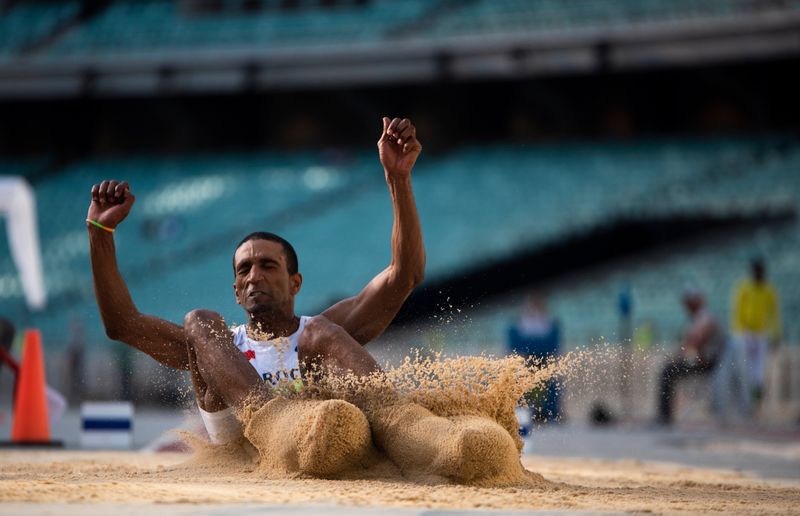
2. Double Ditch
Technique: Take a short run-up, leap forward and slightly upward, and land with bent knees on the raised platform ahead — treat it like a controlled long-jump, not a sprint through.
Common mistake: Jumping flat instead of upward, misjudging the landing platform's height.
Pro tip: Pace out and practice your own broad-jump distance at home so you already know your limit on test day instead of guessing mid-run. Keep your arms swinging forward on takeoff — they add real distance to the jump.
GTO watches: judgment of distance, controlled landing
3. Monkey Bridge
Technique: One rope underfoot, one overhead rail on each side (or one). Slide your feet sideways along the lower rope, keep your body weight low, and hold the top rope for balance — don't rush.
Common mistake: Standing too upright, causing the whole rope structure to sway violently.
Pro tip: Practice barefoot balance drills beforehand (walking a straight line or a garden edge) to train the small stabilizer muscles GTOs are really watching for. Fix your eyes on the far end, never on your feet or the rope.
GTO watches: balance under sway, composure
4. Tarzan Swing
Technique: Two pits with a narrow beam or platform between them. Cross the first gap with a confident stride or short jump, plant firmly on the middle platform, then repeat for the second gap.
Common mistake: Hesitating on the middle platform, losing forward momentum for the second crossing.
Pro tip: Decide your lead foot in advance and always plant it first on the middle platform — consistency beats improvising mid-obstacle. Keep moving the instant you land; the pause is what costs candidates the second jump.
GTO watches: continuous momentum, footing accuracy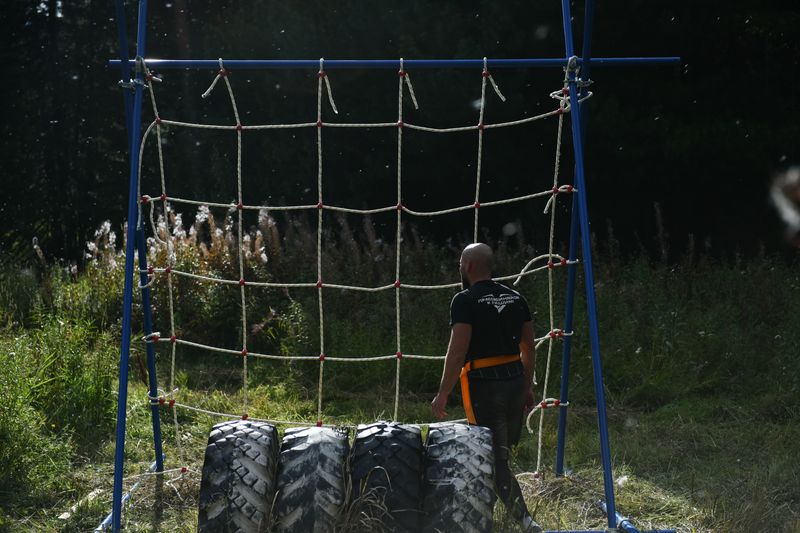
5. Tyre Jump
Technique: A raised horizontal beam or rope crossed in a low crouch or crawl, often with an overhead rope for support. Keep your centre of gravity low and move in small, deliberate steps.
Common mistake: Trying to walk fully upright, which drastically increases the chance of a fall.
Pro tip: Keep a constant slight forward lean throughout — stopping to "reset your balance" is what usually causes the fall, not the movement itself. Shorter, quicker steps beat one long stride when the footing is uneven.
GTO watches: stability, controlled pace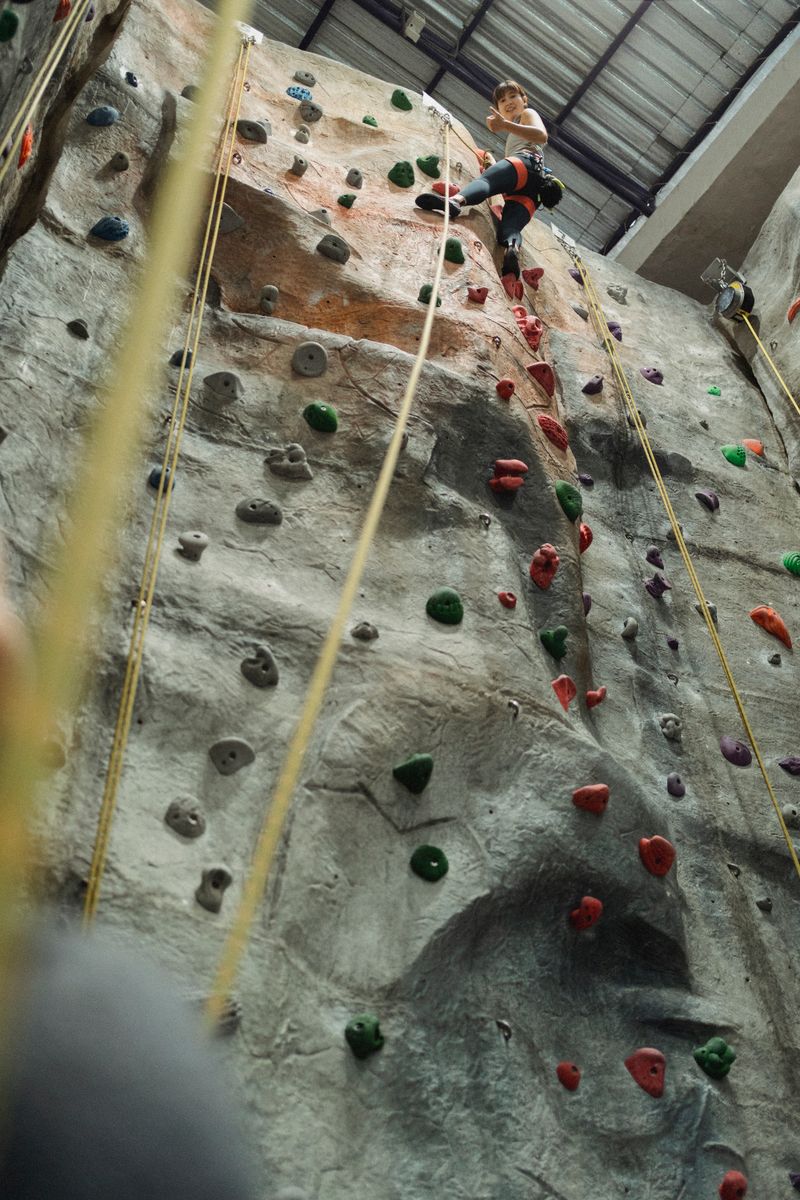
6. High Wall
Technique: Approach at a slight angle, use a short run-up, plant one hand and the same-side foot near the top edge, and pivot your body over in one continuous motion — don't stop halfway.
Common mistake: Jumping straight at the wall with no angle, losing the grip point at the top.
Pro tip: Train pull-ups and box jumps in the weeks before ISSB — the wall rewards explosive upper-body pull more than raw height. Pick your grip point before you start running, don't search for it mid-jump.
GTO watches: use of momentum, decisiveness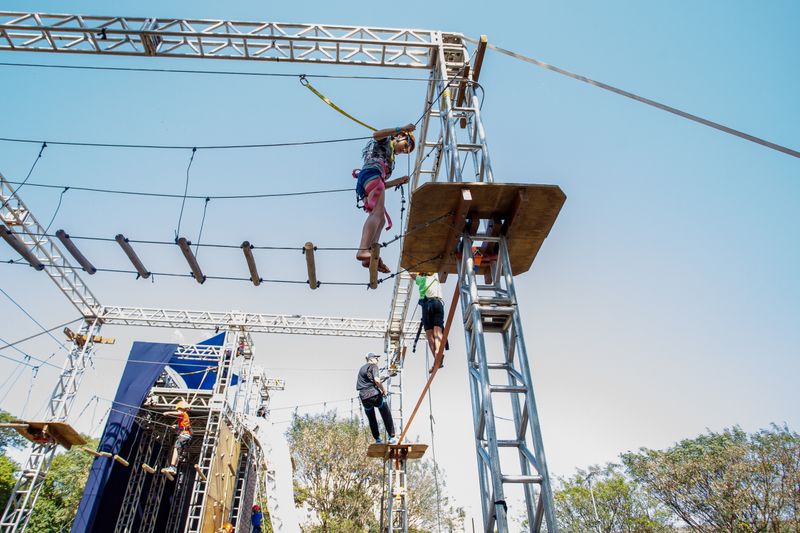
7. Burma Bridge
Technique: A solid screen blocks your view of the landing side, so the jump is committed on faith. Take a measured run-up and jump firmly over the top edge, tucking your legs to clear it.
Common mistake: Slowing down right before the jump out of uncertainty about the unseen landing.
Pro tip: Count your run-up steps in practice until it's automatic, then trust that count on the day instead of trying to peek over the screen. Hesitating for even half a second at the edge reads as loss of nerve to the GTO.
GTO watches: courage under uncertainty, full commitment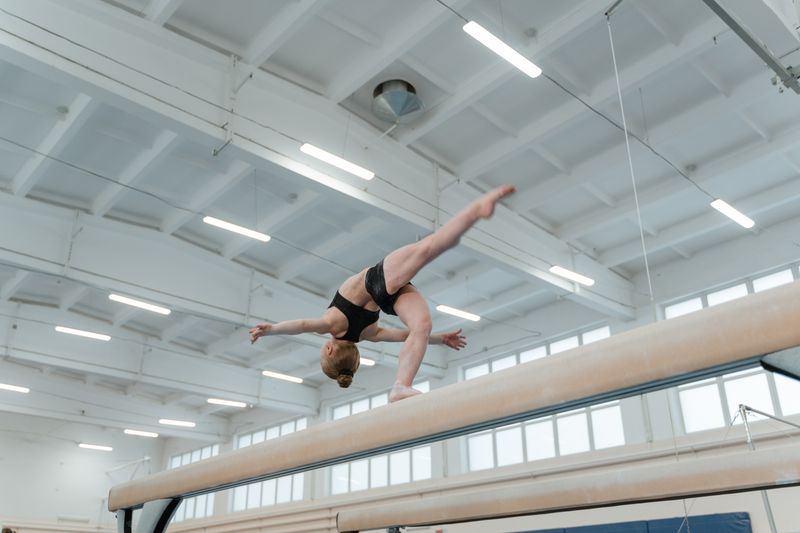
8. Balance Beam
Technique: A narrow raised beam or plank crossed on foot, sometimes with a jump at the end. Keep your gaze fixed ahead (not down at your feet), arms slightly out for balance, and move at a steady, controlled pace.
Common mistake: Looking down at your feet, which throws off balance far more than looking straight ahead does.
Pro tip: Practice heel-to-toe walking on a curb or a plank at home — it directly trains the ankle control this obstacle scores you on. Keep your arms loose and slightly out; locking them stiff actually hurts balance.
GTO watches: balance, composure, controlled pace
9. Long Jump
Technique: A wide horizontal gap (often over a ditch or pit) cleared in a single running jump. Build speed on the run-up, take off from one foot, and drive your knees up and forward to maximize distance.
Common mistake: Slowing down right before takeoff out of hesitation, which shortens the jump — commit fully once you start the run-up.
Pro tip: Mark out a fixed number of run-up steps in practice and keep it identical every time — an automatic stride pattern beats judging distance on the fly under pressure. Drive your knees up at takeoff, don't just run through it.
GTO watches: commitment, explosive effort
10. Commando Crawl
Technique: A thick vertical rope climbed hand-over-hand to a platform or bell at the top, using your legs to lock and grip the rope rather than relying on arm strength alone.
Common mistake: Pulling with the arms alone and burning out halfway — let your legs take most of the load by locking the rope between your feet.
Pro tip: Lock the rope between your feet and let your legs share the load — arms alone will gas out halfway up. Set an even hand-over-hand rhythm rather than rushing the first few pulls and fading near the top.
GTO watches: technique over brute strength, pacingLive Group Discussion
Join today's candidate group discussion — new topic and new room every day
A new topic is selected automatically every day at midnight — no two days repeat until the full list cycles.
This is a real, working video room (powered by Jitsi Meet — free, no login required). The link below is generated fresh every day and shared automatically — just tap to join at 9 PM.
Tip: works in any browser, mobile or desktop. No account or app install needed — just allow camera/mic access when prompted.
Panel Interview Preparation
100+ Questions with model answers and tips
Live AI Interview
Camera-based mock interview — Gemini generates fresh questions live and asks real follow-ups based on what you say
Turn on your camera and mic, then hit Start. Your AI Interviewing Officer — powered by Gemini — thinks up a brand new question live, asks it out loud, in a natural voice, then actually listens to what you say and asks a natural follow-up based on your real answer, just like a real panel. No two sessions are the same. While you talk, the app also quietly tracks how steady you are — head movement, stillness, and awkward pauses — and at the end Gemini reads out and lists exactly what to fix, based on both your body language and the content of your actual answers.
Your video is never recorded or uploaded — only the movement/volume analysis (done live in your browser) and the text of what you say (via your browser's speech-to-text) are sent to Gemini to generate questions and feedback.
Voice quality depends on your device/browser. For the most human-sounding voice: on Windows use Microsoft Edge (look for "Online (Natural)" voices), on iPhone/Mac try Safari ("Samantha"/"Alex"), on Android/Chrome the "Google" voices work well. Pick whichever sounds best to you above.
Real-time follow-ups need your browser's speech-to-text — this works best in Chrome, Edge, or Safari. Each question is generated fresh by Gemini based on your category, session-so-far, and — once you start answering — what you actually said.
General Knowledge Bank
Defense, current affairs, geography, history, Islamiat, science & current affairs — organized by category
Daily News
A fresh link to today's Dawn e-paper every day, plus current-affairs vocabulary practice
Community
One shared board for every ISSB PREP candidate — ask questions, share tips, cheer each other on
Advanced AI Coach
Live conversations with AI, image/video analysis, and instant feedback on psych tests
✓ Good news: You already have access to AI features with our shared admin key! Want to add your own API key for unlimited usage? Head to Settings → AI API Keys.
Chat with AI in real-time, share images or videos for analysis (e.g., mock interview footage, photos of written answers for feedback).
Speak to AI uses your microphone (speech-to-text) and reads replies aloud (text-to-speech) — fully voice, hands-free coaching.
The AI plays a realistic ISSB interviewing officer. It asks a question, listens to your answer, and follows up naturally — just like a real panel. Speak honestly; the feedback at the end is based on what you actually say.
After you finish a WAT, SRT, or TAT practice session in the Tests tab, your responses are kept here so the AI can give you OLQ-based feedback. Run a test first, then come back here.
Quick Tips & Essay Bank
Insider strategies for 100% recommendation, plus essay topics for writing practice
WAT Tips
• Build instant word bank
• 15 seconds per word
• Always positive tone
• Military/duty context
• Action verbs only
• Never leave blank
SCT Tips
• Complete naturally, don't overthink
• Show optimism and resolve
• Avoid one-word completions
• Keep tone consistent across all 50
• Practice full sets, not single lines
TAT Tips
• Clear single protagonist
• Show initiative & leadership
• Positive, realistic ending
• Personal growth angle
• 4 min thinking + writing per story
⚡ SRT Tips
• Practical, immediate action
• Take responsibility, don't blame
• Show concern for others
• Realistic, not heroic
• Complete all 55 in 30 min
Fitness Tips
• Daily 5km run
• 50+ push-ups
• 12+ pull-ups
• Core strength daily
• Peak by day 28, taper after
Interview Tips
• Clear pronunciation
• Maintain eye contact
• Speak slowly, complete sentences
• Show genuine service motivation
• Know your own biodata cold
GTO Tips
• Help teammates before self
• Speak up but don't dominate
• Accept GTO's rulings calmly
• Show cooperation over heroics
• Stay visible to GTO at all times
Practice writing a 300-400 word essay on a different topic each day. Focus on a clear introduction, 2-3 body points with examples, and a forward-looking conclusion.
Downloadable Notes
PDFs and reference notes uploaded by the admin — free for every candidate to download
Loading notes...
Analytics, Tracking & Extras
Performance analytics, reminders, fitness log, badges, tutorials, audio practice, certificate & AI weakness analysis
A visual breakdown of your practice activity across all psych tests and your 30-day plan.
Looks across all your saved psych-test sessions (WAT, SRT, TAT) and your fitness log together, and gives you one holistic report on recurring weak points and what to drill next.
Reads across EVERY test and activity you've done — WAT/SRT/SCT/TAT, live interview scores, fitness log, GK review consistency, and your 30-day progress — and guesses your Officer-Like Qualities merits and demerits the way an ISSB board actually assesses them, each grounded in something specific you've done.
Settings
Appearance, notifications & account
Appearance
Choose how ISSB PREP looks on this device.
Notifications
View updates on payments, admin messages, and app announcements.
AI Daily Report → WhatsApp
Every day at 10:00 PM, the AI compiles your progress (completion %, streak, today's tasks & notes) into a short report and prompts you to send it to your WhatsApp, signed — ISSB Team.
This app has no background server, so the 10 PM check only runs while this app/tab is open on your device (installing it as an app and leaving it running works best). For privacy and security, WhatsApp itself always requires one tap on "Send" inside the chat — no app can silently send a WhatsApp message without that final tap unless it uses a paid, Meta-approved WhatsApp Business API with its own backend.
AI API Keys
✓ Good news: You already have access to AI features (AI Coach, Live Interview, GK generation, etc.) with our shared admin key — adding your own keys below is entirely optional and only needed for unlimited personal usage.
Optionally get your own free key from aistudio.google.com/apikey for unlimited usage.
Your key is saved ONLY on this device — it is never shared and only sent directly to Google's servers.
Used automatically as a backup — if a Gemini request ever fails or hits its rate limit, the app instantly retries the same request on Groq instead, with no interruption to your session.
Get a key from console.groq.com/keys.
Your key is saved ONLY on this device — it is never shared and only sent directly to Groq's servers.
Used automatically as a second-line backup — if Gemini fails, the app instantly retries on OpenRouter before falling back further, with no interruption to your session.
Get a free key from openrouter.ai/keys.
Your key is saved ONLY on this device — it is never shared and only sent directly to OpenRouter's servers.
Account
Candidate: — · Plan: Free Plan
Danger Zone — Delete Account
This permanently deletes your account from both the live database and Firebase Authentication — all progress, tests, notes, chat history and premium status are erased. This cannot be undone.
Get full access to Days 3–30, the complete SRT (55), SCT (300), WAT, TAT banks, GTO module, interview Q-bank and GK bank — one-time payment of Rs. 2000.
Leaderboard
Top candidates ranked by progress and engagement
ISSB Dress Shop
Official ISSB uniforms, shoes, and preparation gear from verified sellers